


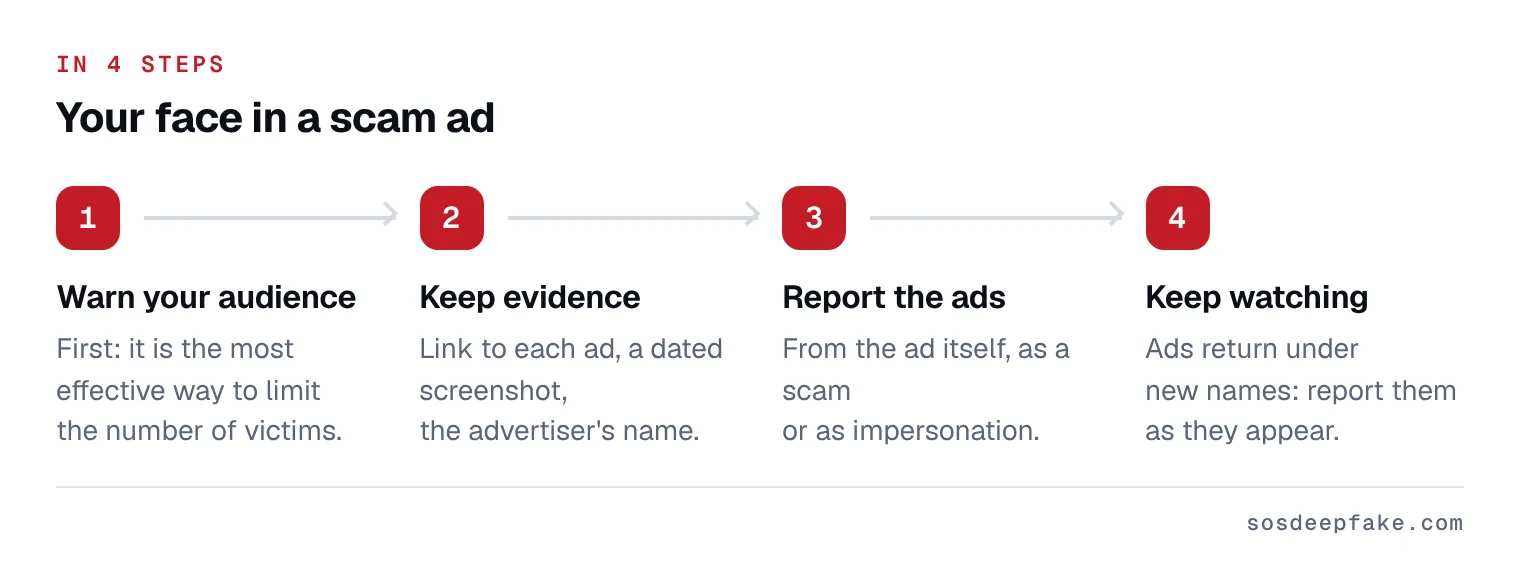
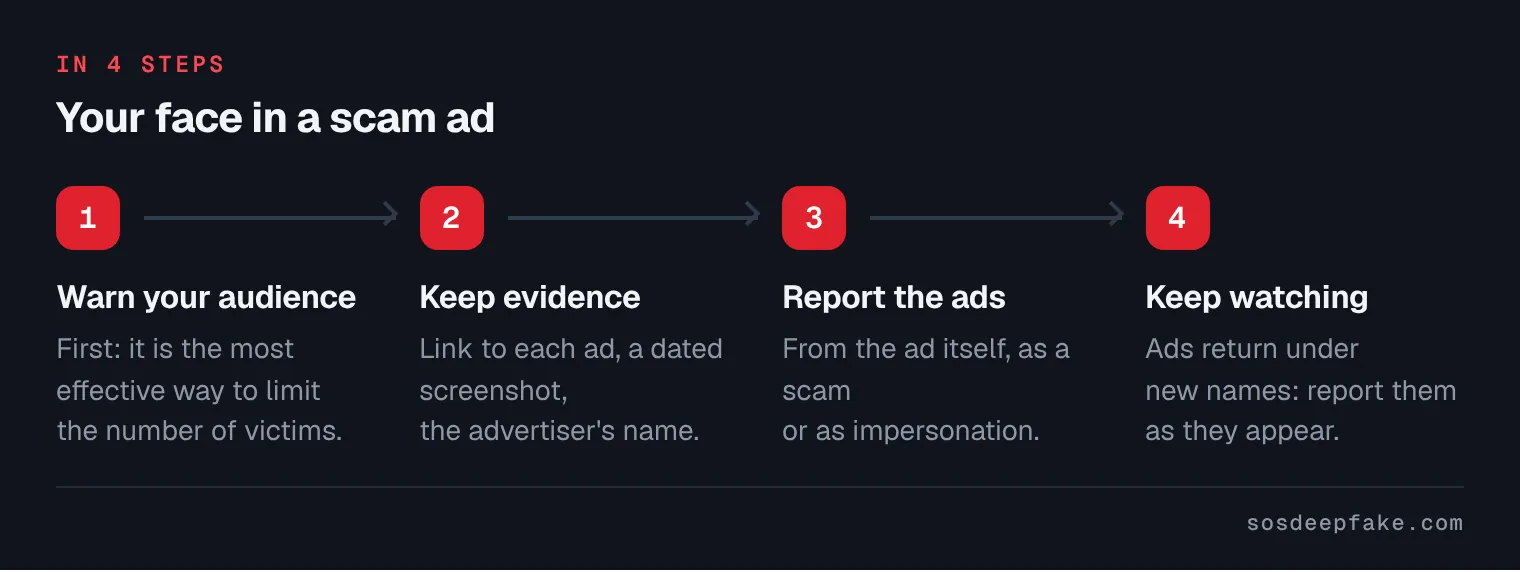
- Warn your audience: First: it is the most effective way to limit the number of victims.
- Keep evidence: Link to each ad, a dated screenshot, the advertiser’s name.
- Report the ads: From the ad itself, as a scam or as impersonation.
- Keep watching: Ads return under new names: report them as they appear.
On this page
Doctors, executives, creators: warn your audience first
Doctors, executives, creators, journalists, athletes: if your audience trusts you, they may trust the ad. So the first move is not the report, it is the warning. It is the single most effective way to limit the number of victims while the ads are being removed.
A short message you can adapt:
“Warning: an ad is going around using my face, and sometimes my voice, to sell [an investment, a product, a treatment]. It is not me. I do not run ads like this and I will never ask you for money in a private message. Do not click, do not pay, and please report the ad if you see it.”
- Post it wherever you have an audience: social media, website, newsletter and, if you see people in person, at reception or in the waiting room.
- Pin the warning to the top of your profiles, so it is the first thing anyone checking sees. Leave it up for as long as the ads are running.
- If you show the ad, stamp a clear “FAKE” across the screenshot and never include the link.
- Ask your audience to send you screenshots of any ads they see, with the advertiser name, without clicking on them.
- Keep dated proof of your warning and of every report you file (dated screenshots, reference numbers). It shows you reacted quickly and clearly, and it can help with your professional body or regulator, your patients, your clients or your employer.
Keep evidence
- Copy the link of each ad and of the page or account running it, then screenshot the ad with the date visible. Do not click through to the site or share the ad.
- Keep the messages from anyone who wrote to you about the ad, and anything the scammers sent them. The method in full is on our page about saving evidence.
For an ad, also note:
- the advertiser name shown, meaning the page or account paying for the ad.
- The address of the site it links to (do not enter anything on that site).
- The ad ID, when the platform’s ad library shows one: it lets you find the ad again even once it has left your feed.
- The date and place where you or people close to you saw it (Facebook, Instagram, YouTube, a news site…).
A sponsored post may not show up again next time you scroll: take the screenshot straight away.
Steps to get it taken down
- Report every ad from the ad itself, as a scam or impersonation. Platform-by-platform details are just below.
- Find every ad from the same advertiser in the platform’s ad library and report each one: a report usually only covers the ad you reported.
- Report the page or account running the ad if it poses as you (your name, your photo): that is impersonation, with its own form.
- Report the destination site to its host and to Google Safe Browsing, and report the fraud to the authorities (see below).
- Keep the reference numbers and follow up: if the platform says no, use the internal appeal it offers.
- Start again: these campaigns are often relaunched under a new name.
In the United States: emergency help for a scam ad with your face, a dedicated handler files the reports within the hour.
In the European Union, every service that hosts content must let anyone report illegal content to it (Digital Services Act, Article 16). A scam using your face can be reported on that basis.
Platform by platform
Facebook and Instagram (Meta)
- Report the ad: on Instagram, tap “…” at the top right of the sponsored post, then “Report ad”. On Facebook, the ad’s “…” menu usually offers the same option. Pick the reason closest to scam or fraud.
- Find all their ads: Meta’s Ad Library is public. Search for the advertiser name, or your own name, to see the ads running on Facebook and Instagram, and report them one by one.
- If the page or account poses as you: on Facebook, go to the profile, click the cover photo, select “Report” and follow the on-screen instructions for impersonation. Without a Facebook account, Meta offers a form (Facebook Help). On Instagram and Threads, the impersonation report form only accepts reports from the person impersonated or their authorized representative, with a photo of an ID.
Google and YouTube
- From the ad (Google Search, YouTube): select “More” or “Info” on the ad, then “Report ad”, choose a reason, fill in the form and submit. On YouTube this works on a computer and on mobile. If you are not signed in to Google, you will be asked for an email address.
- On a Google partner site (a news site, for example): the “AdChoices” icon, then “Why this ad?”, then “Report ad”.
- Find all their ads: in the Ads Transparency Center, search for the advertiser by name or website, open each ad, then “Report this ad”.
- If the ad is no longer in front of you: use the Report an ad form (it violates Google policies, for example scam or phishing).
- Quote the rule: Google Ads policy bans using a public figure’s name, image, video or voice to suggest they endorse a product without their consent, including AI-generated videos.
- If it is a video on a channel, not an ad: YouTube has a privacy complaint for when AI is used to alter or generate your face or voice without permission. You need to file it yourself (or through a legal representative). A channel posing as you is reported as impersonation.
TikTok
- Report the ad with the report button, in the app or on the website, choosing the closest reason (scam, fraud or impersonation, depending on the options shown).
- Make it easy to find: TikTok recommends giving the ad’s page in its ad library and the Ad ID.
Other platforms
Look for the ad’s menu (often “…” or an info icon), then the report option and the reason tied to scams or impersonation. If nothing fits, use the platform’s illegal content report form.
The site the ad links to
- Do not enter anything on that site and do not share its link, even to warn people.
- Its host: find it in the site’s legal notice or with a WHOIS lookup tool, then write to its abuse address with your screenshots.
- Google Safe Browsing: report the page to Google’s Safe Browsing team.
- The authorities: in the US, the FTC at ReportFraud.ftc.gov. Elsewhere, your national fraud reporting service or the police.
- If the site also uses your name or photos and shows up on Google: see our guide to removing a Google result.
If someone has already paid, tell them to contact their bank right away and report it to the police.
Why these ads keep coming back
Scammers create new ad accounts as soon as a campaign is blocked, often with the same video under a new name. One-off removal is not enough: it takes monitoring and reporting as they appear.
To keep watch yourself, search for your name regularly in Meta’s Ad Library and Google’s Ads Transparency Center, and keep your warning pinned while ads are running. That is also what our subscription does.
What we do for you
We find the ads from the same scammer across platforms, report them with the right reason and dated evidence, then follow up. Someone on our team reviews each ad report before it goes out.
For the few forms only you can file, we prepare the text and the links, so all you have to do is send. You keep a dated report of every step taken.
Private content leaking, or a fake account scamming the people close to you right now? See our Emergency Response. For ongoing monitoring, see our pricing.
What the law says
These ads are fraud almost everywhere, and using someone’s likeness to sell without consent also breaks right of publicity or image rights laws in many countries and US states. Platforms' advertising policies ban them outright.
You have the right to report the scam ads to the police, and only a police case can track down the people behind them and bring them to court. The platforms do not need one to remove the ads. A lawyer in your country can help you weigh it up, and you can attach our evidence file.
General information, not legal advice. Image rights and fraud rules are not the same everywhere. Ask a lawyer in your own country which ones cover an ad that uses your face.
One ad, or a campaign that keeps coming back?
We search for the ads from the same scammer and report them. After that: every day, an automated check. Every week, a full check-up of your online presence. The moment we find something, we act.
Rather hand it over? See how we can get a fake profile removed.
See pricingFrequently asked questions
Why me?
Am I liable if someone gets scammed?
Meta never replies. What now?
Will it come back?
See 3 more questions
Can you watch for new ads?
Can I report it myself?
Can you guarantee removal?
Would you rather we handle it? See how we work.
Sources
- Google My Ad Center Help: Report an ad
- Google Ads Help: How to report an ad
- Google Ads policy: Unacceptable business practices (public figure impersonation)
- YouTube Help: Ads on videos you watch
- YouTube Help: Privacy guidelines
- Instagram: Report an impersonation account on Instagram or Threads
- Facebook Help: Report an account pretending to be you
- TikTok ads policy: Intellectual property infringement (reporting an ad)
- Regulation (EU) 2022/2065, Digital Services Act